Video · 4 min read
Video Editing Checklist: 40 Checks Before You Hit Export
A practical video editing checklist for creators and teams: pre-edit, cut, audio, captions, titles, branding, export and publishing checks for YouTube, Reels and Shorts.
Most video mistakes are small: a caption typo, a cut that clips a word, music too loud, the wrong file uploaded. They are easy to fix before publishing and annoying to fix after. A checklist catches them.
This video editing checklist works for YouTube videos, Reels, Shorts, training videos and client work. Copy it, trim it to your needs and run through it every time. At the end, we explain how an AI editor's built-in check, like Tarzi Editor's quality gate, fits alongside your own review.
Before you edit
- All footage copied from cards and phones.
- Footage backed up in at least two places.
- Files renamed and sorted into folders.
- Goal of the video written in one sentence.
- Target platform and length decided.
- Aspect ratio decided: landscape, vertical or square.
- Brand fonts and colours to hand.
- Music and assets licensed for your use.
The cut
- Opens on the hook, not a slow intro.
- Pauses, false starts and dead air removed.
- No words clipped at the start or end of cuts.
- Every section moves towards the payoff.
- Jump cuts intentional, or covered with zooms or B-roll.
- Ends cleanly on the payoff or call to action.
- Length within the platform's current limits.
Audio
- Voice clear and consistent in volume.
- Music sits under the voice, not over it.
- No sudden loud sounds.
- Background noise reduced where possible.
- Audio checked on headphones and on a phone speaker.
Captions
- Captions on, unless there is a clear reason not to.
- Text matches what is said.
- Names, numbers and product terms spelled correctly.
- Font supports the language and script used.
- Large and high contrast enough for a phone.
- Inside the safe area, not under platform buttons.
- Timed to the speech.
Titles and graphics
- Title card or hook text in the first seconds, if used.
- Spelling checked on every on-screen word.
- Brand fonts and colours used consistently.
- Graphics not covering faces or key action.
Export
- Correct aspect ratio for the platform.
- Resolution suitable for the platform.
- One version per platform, if needed.
- Files named clearly, with date, topic and platform.
- Final export watched start to finish, at normal speed.
- Watched on a phone, for short-form.
Publishing
- Title, description and hashtags written.
- Thumbnail or cover chosen, where the platform allows.
- Correct file uploaded, previewed in the platform before posting.
Make the checklist work for you
- Keep it short for daily posts. Pick the ten checks that catch your most common mistakes.
- Keep it full for client work. Clients notice everything.
- Add your own mistakes. Every time something slips through, add a line.
- Use it as a brief. Many checklist items, such as length, captions and safe areas, can go straight into an editing brief.
Automated checks vs your own review
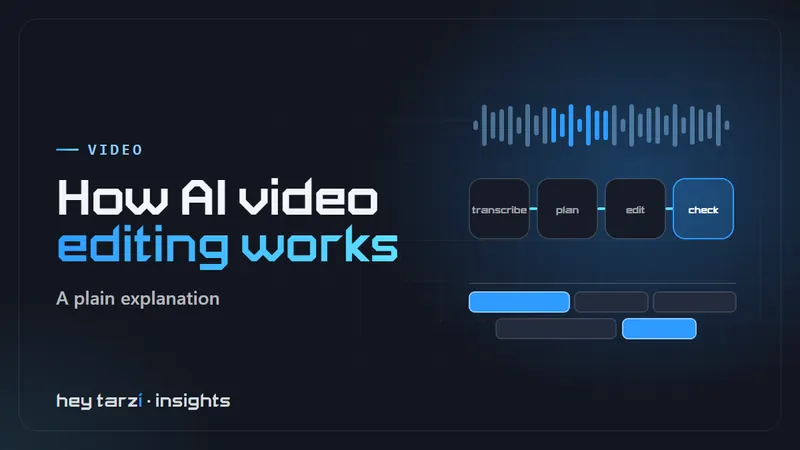
Some editors now check their own work. Tarzi Editor, an AI video editor for Windows 11, reviews each render against your brief with a built-in quality check before the video reaches you. If something did not pass, it tells you plainly instead of hiding it. The Activity panel also logs every cut, caption and title, so you can see what changed.
That covers a lot of the mechanical checks. It does not replace your judgement on the creative ones: is the hook strong, does the story work, is the tone right, would your audience care? Keep the final watch-through as your own job.
A brief that bakes in the checklist might read:
"Start on the hook line, cut pauses and false starts, keep it under 45 seconds, captions in my brand style inside the safe area, title card for the first two seconds, music under the voice, and a version for Reels and one for Shorts."
Pricing
Every Tarzi Editor plan includes the whole editor. Plans differ only in AI usage and how you pay. See the pricing page for current details.
- Free trial: 3 videos, every feature, no card needed. Trial exports carry a watermark and run up to 60 seconds.
- Pro: $18 a month, with 20 AI videos a month.
- Studio: $59 a month, with 100 AI videos a month.
- Founder Lifetime: $99 once, a lifetime licence priced in US dollars.
Next steps
See the pricing page for plan details, or join the Tarzi Editor early access list. More guides: How to Remove Silence From Videos Automatically on a Windows PC, Auto Captions for Videos on PC, How to Turn Long Videos Into Shorts on Your PC (Windows).
Related reading
Frequently asked questions
What should I check before exporting a video?
Hook, cuts, audio levels, caption accuracy and placement, on-screen spelling, aspect ratio and a full watch-through.
How do I avoid caption mistakes?
Proofread names, numbers and product terms, and watch on a phone.
Does an AI editor's quality check replace my review?
No. It helps catch mechanical issues against your brief. You still judge the creative quality.