Video · 9 min read
How Does an AI Video Editor Work? A Plain Explanation
How does an AI video editor work? A plain explanation of transcription, silence and scene detection, planning from instructions, captions, rendering and checks.
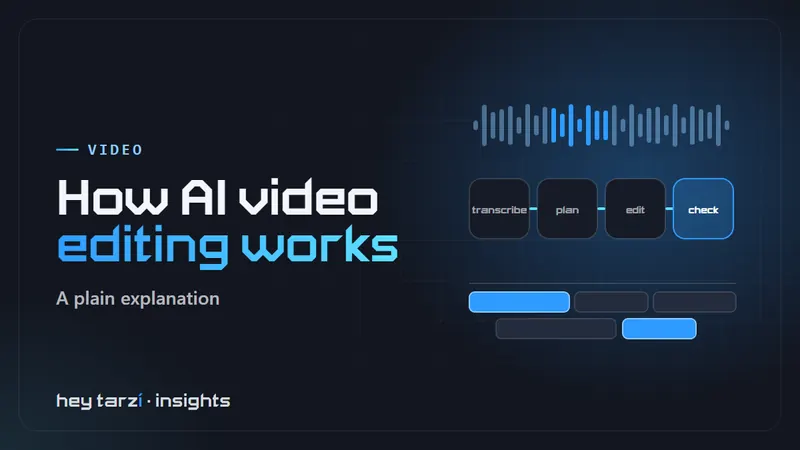
AI video editors promise to turn a raw recording into a finished clip in minutes, which raises a fair question: how does an AI video editor work, and what is it actually doing to your footage? The short version is that it breaks the job into steps a computer can measure, such as speech, silence and scene changes, then uses those measurements and your instructions to decide where to cut. This guide explains each step in plain words, along with the limits worth knowing before you rely on one.
In short: an AI video editor transcribes your footage, detects silences, filler and scene changes, then turns your instruction (for example "cut the pauses, add captions, make it 30 seconds") into a list of edits. It applies them, renders the video and, in better tools, checks the result before you review it.
What is an AI video editor?
An AI video editor is software that uses machine learning to do parts of the editing for you. Instead of dragging every clip on a timeline, you let the software find and make routine edits, then review what it did.
The term covers a wide range. Some products are traditional editors with a few AI helpers, such as automatic captions. Others centre on editing a transcript. A newer group, which includes our own Tarzi Editor, lets you describe the whole edit in plain words. If you are choosing between them, our guide to picking an AI video editor for Windows compares the main types.
How does an AI video editor work, step by step?
Most AI editors, whatever the interface, follow a similar sequence.
1. It reads your footage
First the software loads the video and separates what it can measure: the audio track, the frames, the length, the resolution and the frame rate. Nothing intelligent happens yet; this is the raw material for every later step.
2. It transcribes the speech
Speech recognition turns spoken words into text, with a timestamp for each word. This transcript is the backbone of most AI editing, because it lets the software treat "the part where she explains pricing" as a range of time it can find, keep or remove.
3. It analyses the audio and the picture
Next come several kinds of detection:
- Silence detection finds gaps where nobody is speaking.
- Filler detection uses the transcript to find words like "um" and "uh", and repeated false starts.
- Scene detection compares frames to spot cuts, camera changes or big shifts in what is on screen.
- Speaker detection tries to tell different voices apart, which helps with interviews and podcasts.
- Framing analysis looks for faces or the main subject, so the software can reframe a wide shot for a vertical format.
Each of these produces a list of candidate edit points. None of them is an edit yet.
4. It turns your instruction into a plan
This is where tools differ most. In a traditional editor, you decide which candidates to use. In a transcript editor, you delete text and the matching video goes with it. In an instruction-based editor, you give a brief such as "remove the pauses, keep the best 45 seconds and add captions for Reels", and a language model turns it into a concrete plan: which ranges to keep, in which order, with which captions and titles.
A sensible plan respects constraints: the target length, the aspect ratio of the platform, and rules such as "never cut in the middle of a word".
5. It applies the edits
The plan becomes real edits: cuts, trims, transitions, caption tracks, title cards and simple motion graphics. The software builds captions from the timestamped transcript and styles them with a template, ideally one that matches your brand.
6. It renders the video
Rendering combines everything into a new video file. This step uses the most computing power, so its speed depends on your hardware for desktop tools, or on the vendor's servers for cloud tools.
7. It checks the result (in better tools)
Some editors stop at rendering. Others check the output against the brief before showing it to you: is it the right length, are captions present and in sync, did any cut clip a word? Tarzi Editor runs this kind of quality check on every render and tells you plainly if something did not pass, rather than hiding it.
What models are involved?
Three families of models do most of the work, and each is a separate piece of technology:
- Speech recognition. Models trained on large amounts of recorded speech turn audio into text. OpenAI's open-source Whisper is one widely known example, and editors may use it or a different engine.
- Computer vision. These models look at frames to find faces, subjects and scene changes.
- Language models. These read your instruction and the transcript and decide which ranges to keep, in which order. They are the "brain" of an instruction-based editor.
The cutting, joining and encoding at the end use ordinary video software. FFmpeg is a well-known open-source example of that layer. On Windows, hardware acceleration for machine learning also exists, and Microsoft documents it in its Windows AI overview. Which of these a given editor uses is up to the vendor, so ask if it matters to you.
Which parts are actually "AI"?
Not every step uses machine learning. A simple breakdown:
| Step | Usually AI? | What it relies on |
|---|---|---|
| Reading the file | No | Standard video software |
| Transcription | Yes | Speech recognition models |
| Silence detection | Sometimes | Audio levels, sometimes models |
| Filler and speaker detection | Yes | Speech and audio models |
| Scene and subject detection | Often | Computer vision |
| Planning from an instruction | Yes | Language models |
| Applying edits and rendering | No | Standard editing and encoding |
| Checking the result | Partly | Rules plus measurements |
Knowing this helps set expectations. The parts that use models can make mistakes in ways a normal program would not, which is why review matters.
What is AI video editing good at?
AI editing shines on work that is repetitive and easy to describe:
- Cutting pauses and filler from talking-head recordings.
- Turning one long recording into several short clips.
- Adding captions in a consistent style.
- Making versions of the same video for different platforms and lengths.
- Applying the same title cards and branding across a series.
These jobs take a human editor real time but little creative judgement, so handing them to software frees people for the work that needs them.
What is AI video editing bad at?
There are clear limits, and an honest tool will not hide them:
- Taste and story. Choosing the emotional peak of an interview or the right pace for a joke is still a human strength.
- Messy audio. Background noise, crosstalk and strong accents reduce transcription accuracy, which affects every later step.
- Names and jargon. Brand names, product codes and technical terms are often misheard.
- Frame-accurate finishing. Detailed colour work, sound design and complex multi-camera edits belong in a professional editor.
- Vague briefs. "Make it better" gives the software nothing to measure. Specific instructions produce better edits.
If your work leans heavily on these, a traditional editor is likely the better fit. Our guides to Premiere Pro alternatives and Descript alternatives cover those options.
Is AI video editing the same as AI video generation?
No. Editing works on footage you already have and arranges it: cuts, captions, titles and formats. Generation makes new images or clips from a text prompt. A tool can offer both, but they are different jobs with different risks. An editor will not invent a scene you never filmed, and a generator will not tidy the interview you recorded yesterday.
How do you get better results from an AI video editor?
A few habits make a noticeable difference:
- Record clean audio. A decent microphone near the speaker helps transcription more than any setting.
- Write a specific brief. Include the platform, the target length, the caption style and anything that must stay in.
- Name the important terms. If the tool lets you add a vocabulary list, add names and product terms.
- Review the changes, not just the result. Tools that show their steps, like Tarzi Editor's Activity panel, make this quick.
- Keep your originals. Treat every AI edit as a draft you can redo.
Is AI video editing safe for my footage?
Ask where the vendor processes your footage. Desktop editors work on your own computer; cloud tools upload the video to the vendor's servers. Read each tool's terms if your footage is confidential.
There is also the question of what the software may do on your computer. Tarzi Editor sends every action through a policy engine with fixed rules, so the AI never decides on its own what it may do. Whatever tool you use, prefer ones that are clear about permissions.
How does this compare to editors you already know?
If you already use a simple editor such as CapCut or Canva, an AI editor mainly saves the repetitive steps; our guides to CapCut alternatives and Canva video alternatives compare the options. If you come from a professional editor, you will probably keep it for detailed work and use an AI editor for routine clips.
Where to go from here
The quickest way to understand AI video editing is to try it on a clip you know well. You can read more about Tarzi Editor, see our other AI video editing software, or contact us if you want to talk through a video workflow for your team.
Frequently asked questions
What is an AI video editor?
An AI video editor is software that uses machine learning to do parts of the editing for you, such as transcribing speech, removing pauses, adding captions or planning cuts from a written or spoken instruction. You review and adjust the result instead of building every cut by hand.
How does an AI video editor know where to cut?
It combines signals. The transcript shows what people say, audio analysis finds silences and filler, and visual analysis spots scene changes. Your instruction, such as a target length, then decides which of those possible cuts the editor actually makes. Rules like never cutting mid-word keep the result tidy.
Are AI-generated captions accurate?
Speech recognition usually works well on clear audio, but names, jargon, accents and background noise still cause mistakes. Always read captions before you publish, especially brand and product names. A decent microphone placed close to the speaker improves accuracy more than almost any software setting.
Is AI video editing the same as AI video generation?
No. AI video editing works on footage you already have and arranges it into cuts, captions and titles. AI video generation creates new images or clips from a text prompt. Some products offer both, but they are different jobs, and each carries different limits and risks.
What is the best AI video editor for Windows?
It depends on what you make and how much control you need. A simple editor suits quick social clips, a professional editor suits detailed work, and an instruction-based editor suits routine edits you can describe in a sentence. Test a few of them on your own footage.
Can I see what the AI changed in my video?
That depends on the tool. Good AI editors show each change so you can check and reverse it. Tarzi Editor, for example, shows every step in its Activity panel as it works, so you can review the changes instead of guessing what happened to your footage.
Does an AI video editor need the internet?
It depends on the tool. Cloud editors upload your footage to the vendor's servers and need a connection throughout. Desktop editors can do much of the work on your own computer, though some features may still call online services. Check each product's documentation before you use confidential footage.
Do AI video editors make mistakes?
Yes. Models can mishear names, cut at an awkward moment or misjudge which part of a clip matters. Vague instructions make this worse. Treat each result as a strong first draft, read the captions, watch the whole video once, and keep your original files so you can redo anything.